For people who keep hitting snooze
Alarms you can't sleep through.
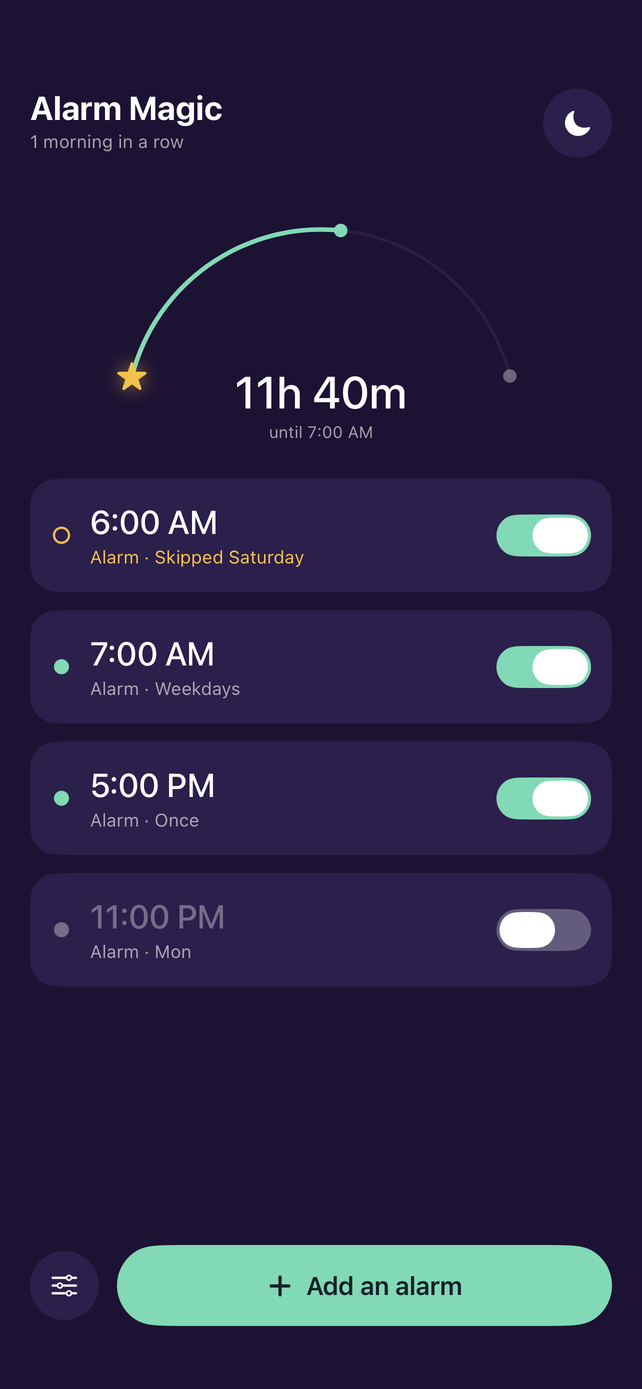
Every alarm ends with a quick check to prove you're up. Tap the stars, solve a sum, type a sentence or shake your phone. There's no snooze button, so once you're up, you stay up.
- No snooze button
- Rings on the Lock Screen
- No account, no ads
How it works
Three steps to a better morning.
-
01
Set it and sleep.
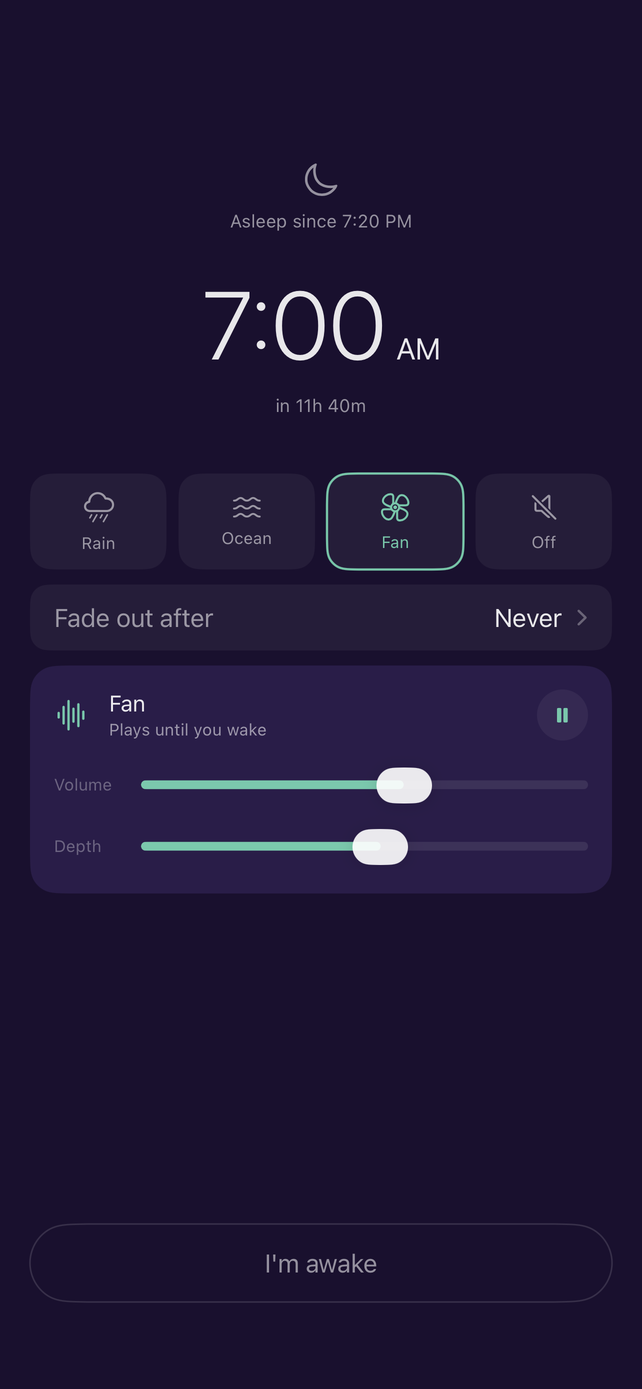
Pick a time, choose the days and one of nine sounds. Then let the night screen play rain, ocean or a fan while you drift off.
-
02
It rings. Really rings.
Alarms fire on the Lock Screen even when the app is closed and your phone is on silent. Each sound has a soft start, then means business.
-
03
Prove you're awake.
Tap the stars, solve a sum, type a sentence or shake your phone. Until you pass, the alarm keeps going. There is no snooze button.
The awake check
Prove you're awake.
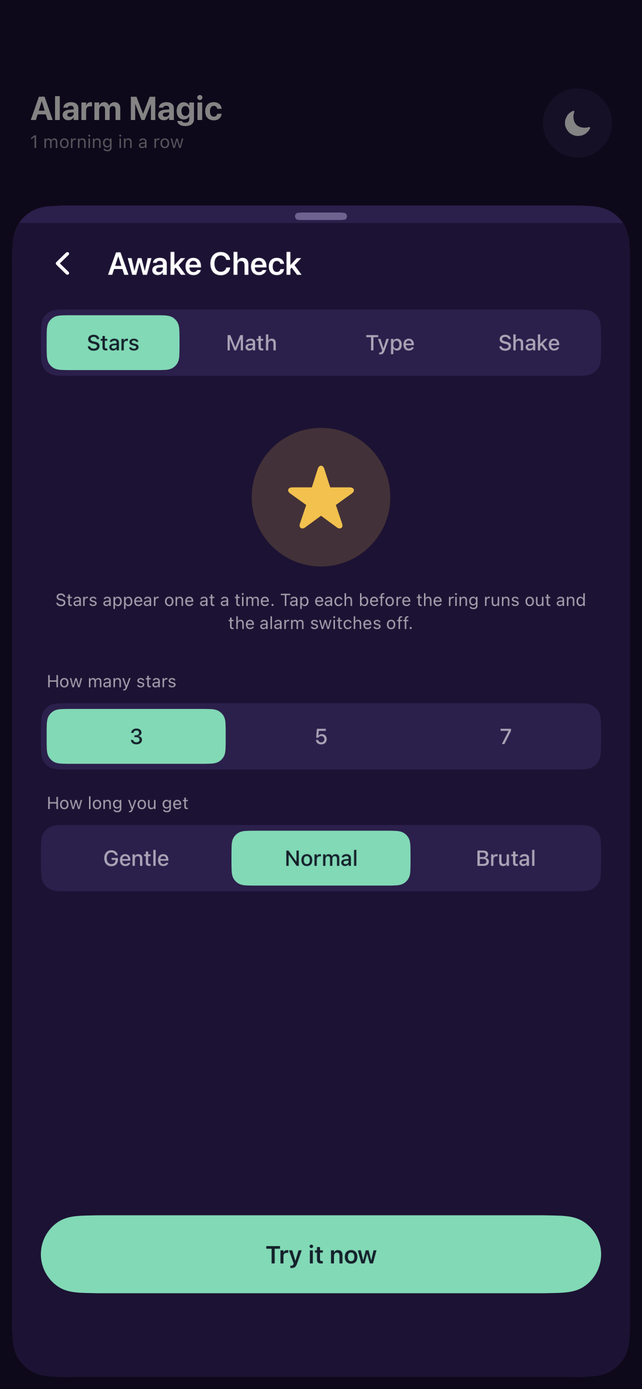
Pick the check that suits you, choose how many rounds, and set it anywhere from Gentle to Brutal. Until you pass, the alarm keeps going.
Stars appear one at a time. Tap each before its ring runs out.
How long you get
Go on, try it. This is a taste of what greets you at 6 AM.
Inside the app
Built for the whole night.
Details
The small things.
-
Rings when the app is closed
Alarms fire on the Lock Screen, even in silent mode.
-
Any days, or just once
Repeat on the days you choose, or leave them empty for a one-off.
-
A streak worth keeping
Every morning you pass the check adds one more.
-
Sleep log
Nights you log build a seven day average and a simple chart.
-
Nine alarm sounds
From gentle marimba to a klaxon that means business, each with a soft start.
-
Six themes, six icons
Make it yours, down to the Home Screen.
-
Bedtime reminder
So tomorrow starts tonight.
-
Yours alone
Everything stays on your device. No account, no ads, no tracking. Read the privacy policy, it's four paragraphs.